
Bubble.io vs Custom Code: Which Is Better for Your App in 2026?
Startups
Product development
Updated: May 7, 2026 | Published: August 12, 2025
You’ve got a vision. The question is — how do you bring it to life? Do you use a no-code tool like Bubble and launch fast? Or invest in custom code and build for the long game?
This article is for non-technical founders deciding between fast prototyping tools and long-term, scalable development. We’ll help you understand when each option makes sense — and how to transition from one to the other without blowing your budget or momentum.
Choosing the Right App Development Approach: No-Code or Custom Code?
When deciding how to build your app, the choice between no-code platforms like Bubble.io and custom code hinges on your startup’s stage, budget, and long-term goals.
No-code platforms empower non-technical founders to launch quickly without hiring developers. With Bubble, you can create a functional web app in weeks using its drag-and-drop interface and pre-built integrations, saving time and money upfront.
However, no-code solutions often come with trade-offs. They include limited customization and scalability, which can hinder growth as your user base expands or your app requires complex features.
Custom code, although more time-intensive and costly initially, offers unmatched flexibility and control, making it the go-to choice for startups seeking long-term scalability. Unlike no-code platforms, custom code lets you own your codebase, avoiding vendor lock-in and enabling seamless updates or pivots.
Criteria | Bubble.io | Custom Code |
|---|---|---|
Time to MVP | Days to weeks | 3–12 months |
Cost (early) | $0–$399/mo | $20,000+ |
Scalability | Limited | Unlimited |
Code Ownership | No | Yes |
Custom Features | Limited to plugins | Fully flexible |
However, the decision isn’t always binary; many startups employ a hybrid approach to strike a balance between speed and scale. For example, you might start with Bubble to validate your idea and attract early users, then transition to custom code as your app gains traction.
Understanding Bubble.io: The No-Code Revolution
What Is Bubble.io?
Bubble.io is a popular no-code platform that enables you to build full-fledged web applications without writing any code. Since launching in 2012, it’s become a go-to tool for non-technical founders and businesses to create everything from MVPs to full SaaS products using a drag-and-drop interface. Over 4.69 million apps were built on Bubble, helping users raise $15 billion in funding.
What You Can Build with Bubble
An MVP for a startup: Let’s say you want to test a coworking space booking app. With Bubble, you can build a sign-up form, show available locations, add a booking calendar, and connect payments via Stripe — all without hiring a developer.
A CRM for a small business: Track leads, add deal stages, and automate follow-up emails.
A two-sided marketplace: Like a local platform to rent out sports equipment in your city.
Key Features of Bubble
Visual Editor: You can build your app by dragging elements (buttons, forms, images) onto a page, similar to website builders like Wix or Webflow. But Bubble goes further by letting you define what happens when users click buttons, fill forms, or make purchases.
Workflow Automation: You don’t need code to automate steps like sending confirmation emails, updating user data, or charging a credit card. You just set it up visually using “when this happens → do that” rules.
Built-In Database: Every Bubble app comes with a powerful database built-in. You can store and organize all your data — like users, payments, messages, or product listings — and link it to your app instantly.
Plugin Marketplace (5,000+ plugins): Bubble connects easily with popular tools like Stripe for payments, Zapier for automation, ChatGPT for AI features, and Google Analytics for tracking. No need to custom-code those integrations — just install a plugin.
Examples of Success with Bubble
You will find several prominent startups that managed to get big after launching on Bubble. Some of those include:
Dividend Finance: a financial platform that secured over $384M;
Comet: a workforce management solution with $800,000 monthly revenue;
Flexiple: a platform for hiring talent with $3M annual revenue.
Another example is our client, Wallfly. They started with a Bubble solution for their AI-powered meeting recording tool, and it worked for a time after their initial launch. We’ll take a deeper look at why it was a temporary solution in the following section, as our client faced challenges that are pretty common for solutions originating from Bubble.
What Bubble.io Can’t Do When It’s Time to Scale
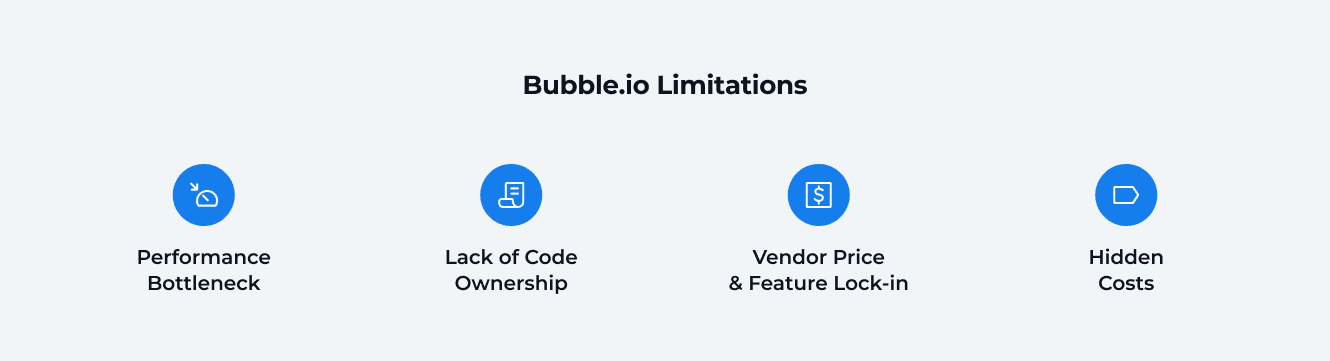
Bubble is great for starting fast, but when your product starts growing, some real limitations show up:
1. Performance Hits a Wall
Apps slow down under heavy traffic: Bubble runs on shared servers. That means that when your app reaches 20,000+ users or involves more complex logic (such as live chat or real-time dashboards), performance drops. Pages load slower, actions take longer — not ideal for user experience.
Data processing is limited: Bubble’s database handles only about 100 rows per second. If you’re building something like an analytics dashboard, that’s not enough. In contrast, a custom backend (such as PostgreSQL) can process over 10,000 rows/second, 100 times faster.
2. You Can’t Export Your Code
You’re stuck inside the Bubble ecosystem: Bubble doesn’t let you download your app’s code. If you want to switch platforms later, you’ll need to rebuild everything from scratch.
Rebuilding is expensive: Moving a Bubble app to a custom tech stack can cost between $10,000 and $50,000, depending on complexity. That’s a big hit when you’ve already invested time and effort into the first version.
3. Locked into Their Rules
You’re tied to Bubble’s pricing, updates, and plugin system: If Bubble increases prices or changes a plugin you depend on — you can’t do much. Even small plugin updates can break integrations, and fixing them often requires hiring a developer at $25–$100/hour.
4. Costs Can Get Out of Control
Plans start cheap but scale fast: You might start on a $29/month plan, but if you grow, expect to pay $3,500+/month for the Enterprise version.
Hidden costs add up
Plugin fees: $10–$100/month.
Workload overages: $29 per 200,000 units.
Combined annual costs can exceed $42,000 for a successful app.
Many startups launch on Bubble to save money, but later find themselves spending $30,000+ per year just to keep the app running.
What are the Clear Signs You’ve Outgrown Bubble?
There are several situations to consider as a green light to move from bubble to custom code:
You’re paying devs to patch things: Need a custom API or advanced logic? You’ll probably hire a developer anyway, which defeats the purpose of no-code.
Your app becomes slower: Apps with a large number of users or data tend to lag. Some founders report page load times increasing by 2–3 seconds when scaling.
You need something Bubble can’t offer: Real-time features (like collaborative editing), native mobile apps, or custom animations? You might hit a hard limit with Bubble.
Custom Code: The Right Path for Growth-Focused Startups
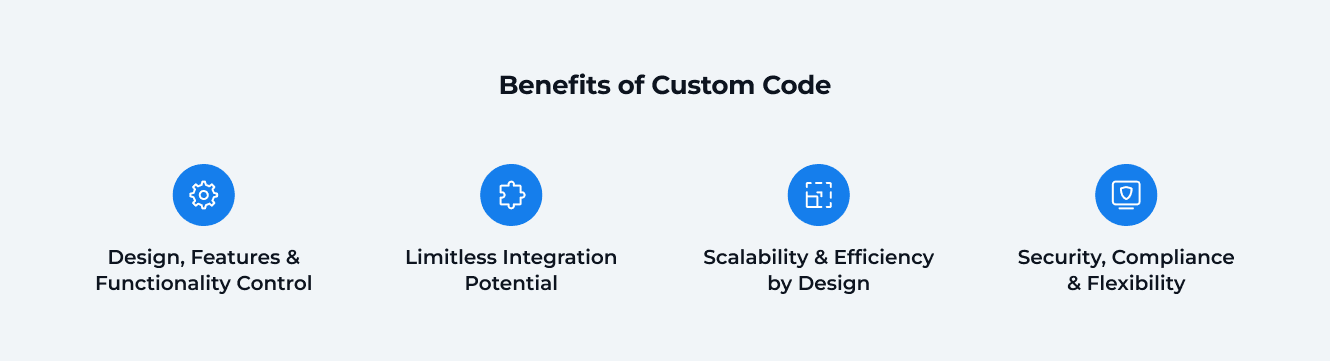
No-code platforms like Bubble are great for getting started fast. But when you’re aiming to scale, handle complex logic, or build a serious long-term product, custom development gives you full control and flexibility.
1. Full Control Over Everything
With custom code, you’re not limited by drag-and-drop builders or plugin constraints.
Build any user interface you want — no visual editor restrictions.
Implement complex logic and workflows tailored to your product.
Choose your own hosting, database, and infrastructure (e.g. AWS, PostgreSQL, Redis).
2. Seamless Integration with Any Tool
Need Stripe for payments? OpenAI’s GPT? Your own APIs?
With custom development, it’s all possible and reliable.
No dependence on third-party plugins.
No monthly plugin fees.
You control how everything connects and behaves.
3. Designed for Speed and Scale
Custom-built apps perform better and scale more easily:
Thousands of requests per second vs. Bubble’s ~100 rows/sec limit.
No lag or slowdowns when traffic spikes.
Control over caching, load balancing, queues, and performance tuning.
4. Security, Compliance, and Flexibility
If you need to meet GDPR, HIPAA, or SOC 2 — or simply want complete control over data privacy — custom development is the way to go.
End-to-end encryption
Role-based access control
Full audit trails and logging
Customizable security architecture
Startups That Went Custom (2023–2025)
Even in the era of no-code, the most successful startups continue to opt for custom stacks for enhanced performance, reliability, and scalability.
Startup | Tech Stack | Why Not Bubble? |
|---|---|---|
HeyGen | Python + GPU backend | Heavy AI video generation workloads |
Arc | Next.js + Node.js | Real-time job feeds and dashboards |
Linear | React + GraphQL + WebSocket | Instant collaboration for dev teams |
Replit | Rust + Python | Real-time cloud IDE, AI agents |
Vercel | Next.js + Edge Functions | High-traffic frontend infrastructure |
What Custom Code Requires
The usual requirements for a custom code-based solution are below. You’ll notice that the numbers are not as impressive as magic pills offered by low and no-code platforms, but companies aiming for success still opt for custom code.
Factor | Typical Range |
|---|---|
Time | 3–12 months to build |
Cost | Starts at $20,000+ for an MVP |
Team | In-house developers or partners |
It’s not the fastest route, but it provides a solid foundation for long-term growth.
When to Choose Custom Code
You should strongly consider going custom if:
You’ve already validated your MVP.
You plan to scale to thousands of users.
You need unique features that no-code can’t handle.
You want to own your product and reduce long-term costs.
Can You Build Fast Without Bubble? (Yes — With DBBS Pre-Built Solutions)
Here’s the truth: Bubble isn’t the only fast option.
At DBB Software, we’ve built a library of pre-built components that include the following:
Monorepo set to handle and build complex apps;
Application generators;
Templates for the CI/CD pipelines;
Cloud Hosting Integration;
Configured environments;
Unit, Integration, and E2E Testing tools;
Pre-built UI components;
Ready-to-use plugins for integration with CMS, ERP, CRM, Payment providers, Delivery providers, Analytics, etc.
What This Means: A Breakdown with an Example Case
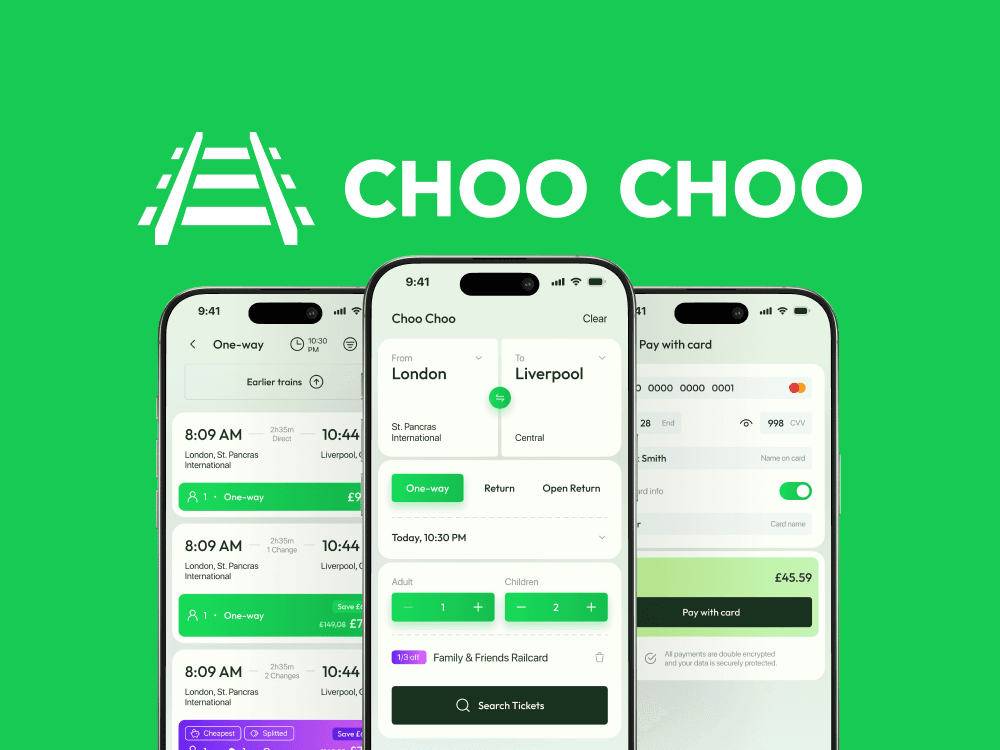
The client, Choo Choo, sought a mobile-first MVP solution to compete with outdated rail ticketing apps. Their core needs included an intuitive UI, natural user flow, and speed.
Our team utilized DBBS Pre-Built Solutions extensively during this project.
As a result:
Only one developer set up:
Backend in 2 hours: Initialized Turborepo with all configs (TS, Jest, ESLint, Prettier), generated NestJS API as a scalable proxy server, and connected pre-built packages such as logging, error monitoring, and server readiness.
Mobile app in 6 hours: generated a base for a mobile solution using Expo and DBBS CLI with basic configuration such as sign-up/login, in-app purchases, multi-language localization, and push notifications.
Delivered a functional prototype in 3 weeks.
Used the prototype to secure an early partnership.
Completed the app in 12 weeks, according to the set deadline.
Optimize Your Project’s Timeline and Budget
Learn how DBBS Pre-Built Solutions can speed up the development of MVPs and complete products up to 50%.
Read More

When (and Why) You Should Switch from Bubble to Custom Code
Bubble.io is a great tool for quickly building and testing your product idea. Many startups use it to launch fast without writing code or spending big money. It’s helped create over 4.6 million apps and raise $15 billion in funding.
But once your startup grows, Bubble can start to hold you back — it gets slower, costs more, and can’t always support advanced features. That’s when switching to custom development becomes the smart next step.
Here’s how that journey usually looks:
Step 1: Use Bubble to Build and Test Fast (First 3–6 months)
You use Bubble’s drag-and-drop builder to launch your MVP quickly.
You don’t need developers or a big budget.
You test your idea, get first users, maybe even raise some funding.
Example: A fintech startup built a personal finance tracker using Bubble’s $29/month plan in under a month — fast and affordable.
Step 2: Your App Grows, and Bubble Starts to Struggle
You get more users (10,000+), and things slow down.
Bubble’s database (about 100 rows/second) can’t handle heavy data tasks.
You need features that Bubble doesn’t support, or plugins that break.
Costs jump — $3,500/month or more for the enterprise plan + extra fees.
You end up spending more time and money fixing things than building new features.
Step 3: Rebuild with Custom Code to Keep Growing
You switch to real code (like React, Node.js, or Django).
Your app becomes faster, more secure, and fully customizable.
You own your code — no more being stuck on someone else’s platform.
It’s an investment (+$20K), but:
Your load times improve by 30–50%
You save $30K+/year vs Bubble’s long-term costs
You can build anything — AI, real-time chat, mobile apps, advanced dashboards
Why You Shouldn’t Wait Too Long to Switch
Waiting too long can make things worse:
Performance issues: Bubble slows down with more users, sometimes up to 3 seconds per page. That frustrates users and hurts retention.
High monthly bills: Bubble’s usage-based pricing and plugin fees can cost you over $40K per year.
Full rebuild required: You can’t export Bubble code, so you’ll need to rebuild everything from scratch when you switch, even under tight deadlines.
Lost time and momentum: Delayed migration means more bugs, more workarounds, and slower progress.
So, What Should You Choose?
It depends on your stage and goals:
Start with Bubble if:
You’re testing an idea and need to move fast.
You’re not ready to hire developers.
You want to launch on a small budget.
Tips for using Bubble smartly:
Use the free plan to build your prototype.
Learn from the Bubble community and tutorials.
Watch your usage and costs as your app grows.
Keep things clean and modular so switching later is easier.
Move to Custom Code if:
Your product is growing and needs better speed and features.
You want full control over your app.
You’re planning for long-term success.
Tips for switching the right way:
Work with a dev team that knows scaling (like DBB Software).
Build only the key features first — don’t try to do everything at once.
Set aside a yearly budget for updates and maintenance.
Use trusted tech tools (like AWS, PostgreSQL, GitHub) from the start.
How DBBS Helps Startups Skip the Pain and Build the Right Way
We help you avoid the “build fast now, pay later” trap.
With DBBS Solutions, you get:
Pre-built stack to launch MVP fast.
AI features embedded by default (recommendations, chat, content gen).
Custom scaling path once traction hits.
Full dev team, DevOps, QA, project management, and more.
Flexible pricing: from $20k MVP to enterprise apps.
Our pre-built stack speeds up time-to-market by 40–50% compared to building everything from scratch.
Bubble vs Custom Code vs DBBS Pre-Built Stack
Here's how these approaches compare to each other:
Feature | Bubble.io | Custom Code | DBBS Pre-Built Solutions |
|---|---|---|---|
Time to MVP | Days–Weeks | 3–12 months | 4–6 Weeks |
Scalability | ❌ Limited | ✅ Full | ✅ Full |
Code Ownership | ❌ No | ✅ Yes | ✅ Yes |
Cost (Startup) | ✅ Low | ❌ High | ✅ Mid-tier |
Cost (Growth) | ❌ Escalates | ✅ Predictable | ✅ Predictable |
AI Integrations | ⚠️ Plugins only | ✅ Full | ✅ Built-in+flexible addition |
Dev Support | ❌ DIY | ✅ Custom teams | ✅ DBBS team |
What Should You Choose Based on Your Startup Stage?
The answer is simple – it depends on the current state and stage of your business.
Stage | Recommendation |
|---|---|
Idea validation | Bubble or DBBS Solutions |
Early traction, scaling soon | DBBS Solutions |
Funded & scaling fast | Custom code, DBBS Solutions, or hybrid approach |
The earlier you plan for growth, the smoother your path will be.
Conclusion: Don’t Choose Between Speed and Scale — Get Both
You don’t have to sacrifice speed for scalability when building your app. Bubble excels at enabling quick validation and launching an MVP, offering a fast track for non-technical founders to test their ideas without coding expertise. However, its limitations, such as performance bottlenecks and a lack of customization, impose a ceiling that can hinder growth as user demand increases.
Custom code, on the other hand, offers robust, long-term scalability with complete control over design, integrations, and security; however, it requires significant time, a skilled development team, and a higher upfront investment. With DBB Software, you can achieve the best of both worlds: a rapid launch using pre-built, scalable architecture that supports your MVP, seamlessly transitioning to a robust, customizable platform as your product grows and your needs evolve.
Are you ready to build your MVP? Book a free consultation with DBB Software and let’s talk about your MVP.
FAQ



Fullstack .NET / C# Developer
Most Popular